> For the complete documentation index, see [llms.txt](https://foxecom.gitbook.io/minimog-theme/llms.txt). Markdown versions of documentation pages are available by appending `.md` to page URLs; this page is available as [Markdown](https://foxecom.gitbook.io/minimog-theme/other-pages/password.md).
# Password
A landing page that adds password protection to merchants' online stores in case they are not yet ready to go live.

You can restrict visitors access to your online store by adding the password page in the **Password protection** section.
To add your online store password, see [Shopify Manual](https://help.shopify.com/manual/online-store/themes/password-page).\
To customize the Password page template in Minimog, follow the steps below:
{% hint style="success" %}
Steps
1. In the theme editor (**Customize**), open the template selector
2. Select **Other**, then **Password.**
3. On the left-side bar, select **Settings.**
4. Make necessary changes **> Save.**
{% endhint %}
{% embed url="" %}
### General
Change or add background color to your password page.
You can also show the logo of the store by selecting/uploading an image. Adjust the logo's main width if needed.
### Text & newsletter
* Add the title and description to the provided fields.
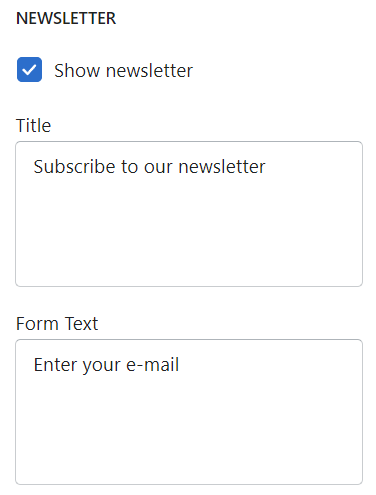
Enable showing newsletter and edit the form title and text.
### Password
Enable/disable the password bar and its form/title text.

### Footer
Add copyright text.